Why manual blogging doesn't scale
Most small WordPress sites don't stop blogging because the owner runs out of things to say. They stop because writing a genuinely good 1,200-word post — research, outline, draft, edit, format, publish — takes two to four hours if you're doing it properly. Multiply that by even one post a week and it's a part-time job stacked on top of whatever you actually run the site for.
That time pressure is what pushes people toward shortcuts: shorter posts, longer gaps between them, or eventually just... stopping. None of those outcomes help a site. Search visibility and reader trust both compound over time, and both require showing up consistently, not in one heroic burst followed by six months of silence.
The honest fix isn't "write faster." It's changing which part of the process takes your time. A first draft is the most mechanical part of writing a blog post — organizing known information into a readable structure. The parts that actually need a human are judgment calls: what's true, what's worth saying, and what sounds like you.
What AI content tools do well — and where they fall down
It's worth being specific here, because the "AI content" conversation tends to swing between two extremes: it'll replace writers entirely, or it's useless slop. Neither is accurate. AI drafting tools, including the one built into OptiPublish Plugin, are reliably good at a narrow set of things:
- Structure. Turning a keyword and a rough angle into a logical heading outline (H1/H2/H3) faster than most people draft one by hand.
- First-draft prose. Filling that structure with grammatically clean, on-topic paragraphs.
- Consistency at volume. Producing a similar quality floor across many posts, rather than the natural dip that happens on your tenth post of the month.
- Language coverage. Drafting in a target language directly, rather than writing in English and translating after the fact.
Where AI tools reliably fall short is anything that requires actually knowing something specific and true about your business, your customers, or your industry right now. It can't tell you what your last three support tickets were about, what your customers actually complain about in reviews, or which claim about your product is one you can legally back up. It also has no way to know if a given sentence sounds like you or like every other blog in your niche — that pattern-matching is a human judgment, not a generation task.
Treat the AI draft as a very fast first pass, not a finished post. The fastest way to end up with a robotic-sounding article is to publish that first pass unedited.
The keyword → draft → edit → publish workflow
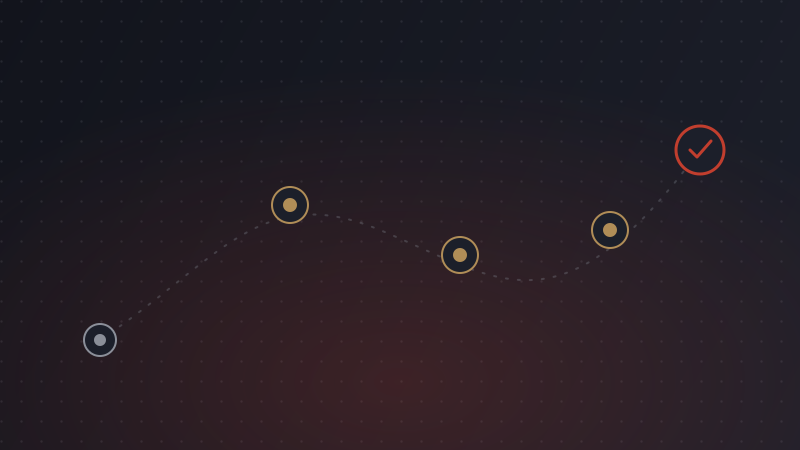
Here's the workflow that actually holds up at a sustainable pace — roughly 45–75 minutes per post once you're used to it, most of that time spent on the edit, not the draft.
1. Choose the keyword and a real angle
Start with a keyword you have some actual authority to write about — a question your customers ask, a comparison they're weighing, a problem you've solved before. A generic keyword with no angle produces a generic post no matter who or what writes it.
2. Set tone, length, and structure before generating
Decide the tone (conversational, technical, authoritative) and target length before you generate anything. In OptiPublish, that's a sidebar setting inside the WordPress editor — you pick it once per post, and the draft that comes back already matches it instead of needing a rewrite to fix tone later.
3. Generate the draft — inside the editor, not a separate tab
This is the step that saves the most real time: the draft lands directly in your WordPress post editor, already formatted with headings, instead of arriving as plain text in a chat window that you then have to reformat, re-paste, and clean up.
4. Edit like an editor, not a proofreader
This is the step people skip, and it's the one that matters most. Read the whole draft once for accuracy — does every claim check out? Then once more for voice — does this sound like your site, or like a template? Add at least one detail the AI couldn't have known: a specific number, a real example, an opinion you actually hold. That single addition does more to make a post feel human than any amount of paraphrasing.
5. Publish and move on
Once it reads right, publish it. Resist the urge to keep polishing sentence-by-sentence past the point of diminishing returns — that's the manual-blogging trap again, just relocated to the editing stage.

In-editor generation vs. the copy-paste workflow
A lot of WordPress bloggers already use a general-purpose AI chat tool for drafts. It works, but it adds friction that adds up over a year of posts: you write the draft in one tab, copy it into WordPress, then manually rebuild the heading structure, fix formatting that didn't survive the paste, and re-check the meta description separately. None of that is difficult — it's just extra steps that make the workflow slower to repeat, and slowness is exactly what causes blogs to go quiet.
| Step | Copy-paste from a chat tool | In-editor (OptiPublish) |
|---|---|---|
| Draft generation | Written in a separate browser tab | Generated directly inside the WordPress post editor |
| Heading structure | Often needs manual reformatting after paste | Arrives with H1/H2/H3 structure already applied |
| Tone & length | Set through a text prompt each time | Set once via sidebar controls per post |
| Language | Depends on prompting the general tool correctly | Selectable from 50+ supported languages |
| Publishing | Manual copy, paste, format, then publish | Review and publish from the same screen |
Neither approach is wrong — plenty of publishers do fine bouncing between tools. But if the friction of switching tabs and reformatting is the reason your posting frequency has slipped, an in-editor workflow removes that specific friction. For a closer look at how the individual steps play out, see our walkthrough of the full keyword-to-published-post process.
Keeping AI-assisted posts sounding like you
"Sounding like a robot" is usually shorthand for three specific problems: generic phrasing that could apply to any business, a flat rhythm where every sentence is the same length, and a total absence of opinion. All three are fixable in the edit pass, and all three get easier over time.
Build a simple style reference
Keep a short note — three or four sentences — describing how your site talks: formal or casual, first person or not, any phrases you use often and any you never use. Check new drafts against it during editing. This takes five minutes to write once and saves re-editing the same issues on every post.
Don't skip the "why should anyone care" line
AI drafts are good at explaining what something is and weaker at explaining why a specific reader should care right now. Add that line yourself if it's missing — it's usually one sentence, and it's the sentence readers actually remember.
Common tells that a post skipped human review
- The opening paragraph could be swapped into a post about a completely different topic without anyone noticing.
- Every sentence is roughly the same length and structure — subject, verb, object, repeat.
- Claims are vague ("many businesses," "in recent years") instead of specific to your site or industry.
- There's no first-person detail, opinion, or example anywhere in the post.
- The conclusion just restates the introduction instead of adding a next step.
None of these are inherent to AI-generated drafts — they're inherent to unedited drafts, AI or otherwise. The fix is the same either way: read it once as a skeptical reader before you hit publish.